
Context included
Every delivery stays where it belongs.
See the history for each person, understand what was sent and know exactly when every file stops being available.
Instant, secure sharing
Choose a person, add your files and send. No links to copy, no folders to explain and no context lost.
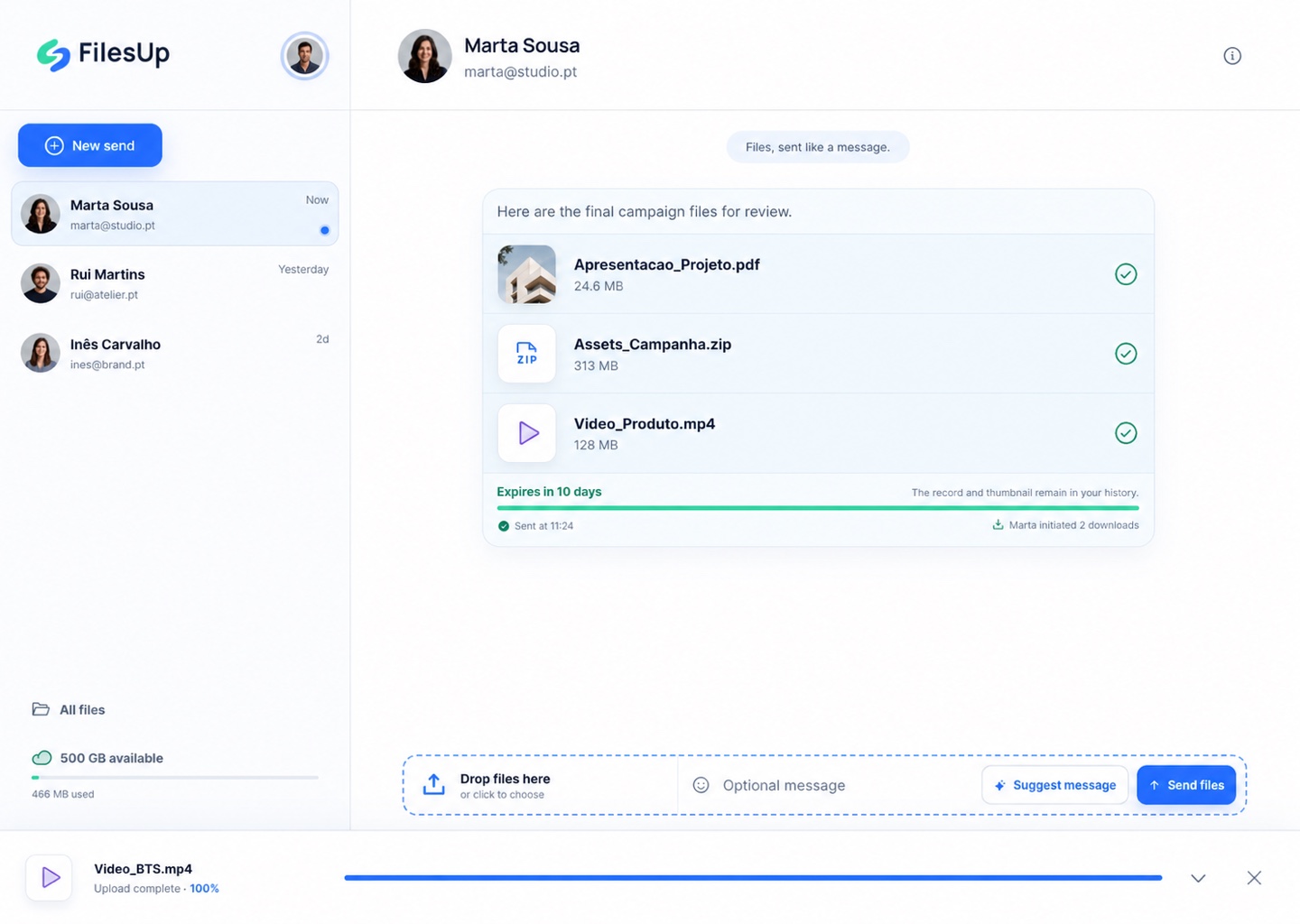
FilesUp in motion
From choosing the recipient to the final delivery, everything happens in one conversation — simple, visual and without lost links.
A conversation, not another lost link
FilesUp keeps the recipient, files, message, delivery and expiry together. The next time you send something, the conversation is already there.
Choose. Add. Send.
Use an email address or phone number. If they do not have FilesUp yet, we will let them know.
Drop everything at once, add a message and keep working while the upload continues.
The recipient gets secure browser access, and the conversation is ready for your next share.
Context included
See the history for each person, understand what was sent and know exactly when every file stops being available.
Optional message
Write your own note or ask for a suggestion, then adjust it before sending.
No account needed to receive
The recipient uses a secure browser link. The app is there whenever it makes sense.
Control without noise
Every delivery uses a hard-to-guess link created only for that share.
We show the time remaining, end access on schedule and delete the files immediately afterwards.
After deletion, the thumbnail and send and download records remain available in the conversation.
On every device
The FilesUp experience is coming to mobile and desktop apps. The web version already works without installation.
Sharing guides
Explore simple ways to send large files and share content online with more context and control.
Send large files online by email or phone. Recipients download in their browser without an account, and files expire after 10 days.
Read the guideShare files online with private access, a 10-day lifetime and delivery history. Recipients open and download in their browser without an account.
Read the guideCompare FilesUp, WeTransfer, SwissTransfer, Smash and TransferNow: free limits, availability, history and the best service for each delivery.
Read the guideFrequently asked questions
Use any valid email address or phone number. We send a code to confirm it and create or open your account, with no password required.
Yes. At launch, each account has 500 GB for active shares. When a file expires or is deleted, it no longer uses that space.
No. The link opens in a browser and allows downloads without an account. The app is suggested to make future shares even faster.
Access ends exactly after ten days and the original files are deleted immediately afterwards. The thumbnail, send record and download events remain in the history.
Yes. You can start with either one and link the other later, bringing all conversations into the same account.

Get started
Use your email address or phone number and send your first files in moments.
Sign in to FilesUp